.png.d0e72cc2fb3a2265f1126da0cae79e00.png)
Leaderboard


Popular Content
Showing content with the highest reputation on 05/15/2018 in all areas
-
Kharma7 points
-
Dude really! His reference photos of the multiple different photos he showed, doesn't show exactly how you want his okada to look? lol wow ryee your okada looks perfect don't let this guy get you to start doubting yourself3 points
-
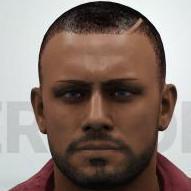
Which hair suits him best? 😅3 points
-
Thinking about releasing what I have here (I'll leave entrance attires to anyone interested in making it, I'd recommend aiden english's 2k18 jacket btw):3 points
-
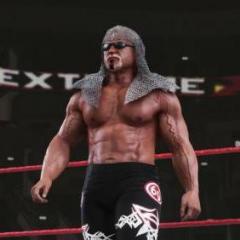
As a noob myself and a person with a tight schedule in RL, I have a problem installing all that gorgeous mods that doesn't have pofo/moveset or have some installation complexities. In this thread I will gather pofo/moveset and installation guidelines I made, for other noobs and pesons with tight schedule %). Also I would be glad to get your feedback in correcting those pofos/movesets and making them closer to an actual character it was made for. Then if everything is ok I'll send them to community repository. Abdullah the Butcher Pac file (model) by Leon Rick Pofo/Moveset Installation - with WWE 2k18+ open Edit Pach File dialog and change Pac Slot to 867, then put it in CH directory. Adambomb Pac file (model) by Leon Rick * - sometimes crashes (instructions in the end of the post) Pofo/Moveset Installation - with WWE 2k18+ open Edit Pach File dialog and change Pac Slot to 942, then put it in CH directory. After you inject it. Open WWE 2k18+ -> "Edit pac plus" -> "Menu loaded pacs" and set at index "621" pac file - "942". Then close the dialog window. Notice: Kim Chee will be accessable when WWE 2k18+ is loaded. Afa Pac file (model) by Leon Rick Pofo/Moveset Installation - with WWE 2k18+ open Edit Pach File dialog and change Pac Slot to 948, then put it in CH directory. After you inject it. Open WWE 2k18+ -> "Edit pac plus" -> "Menu loaded pacs" and set at index "627" pac file - "948". Then close the dialog window. Notice: Kim Chee will be accessable when WWE 2k18+ is loaded. Aksana Pac file (model) by Leon Rick * - sometimes crashes (instructions in the end of the post) Pofo/Moveset Installation - with WWE 2k18+ open Edit Pach File dialog and change Pac Slot to 840, then put it in CH directory. Alex Wright / Berlyn Pac file (model) by Leon Rick Pofo/Moveset Installation - with WWE 2k18+ open Edit Pach File dialog and change Pac Slot to 789, then put it in CH directory. Bad News Brown Pac file (model) by matt2282p (with credits to Shroomie from caws.ws on signature insights) Pofo/Moveset Installation - with WWE 2k18+ open Edit Pach File dialog and change Pac Slot to 682, then put it in CH directory. After you inject it. Open WWE 2k18+ -> "Edit pac plus" -> "Menu loaded pacs" and set at index "62" pac file - "682". Then close the dialog window. Notice: Kim Chee will be accessable when WWE 2k18+ is loaded. Bart Gunn Pac file (model) by Leon Rick Pofo/Moveset Installation - with WWE 2k18+ open Edit Pach File dialog and change Pac Slot to 960, then put it in CH directory. Bastion Booger Pac file (model) by Leon Rick * - sometimes crashes (instructions in the end of the post) Pofo/Moveset Installation - with WWE 2k18+ open Edit Pach File dialog and change Pac Slot to 567, then put it in CH directory. After you inject it. Open WWE 2k18+ -> "Edit pac plus" -> "Menu loaded pacs" and set at index "10" pac file - "567". Then close the dialog window. Notice: Kim Chee will be accessable when WWE 2k18+ is loaded. Beau Beverly Pac file (model) by Leon Rick Pofo/Moveset Installation - with WWE 2k18+ open Edit Pach File dialog and change Pac Slot to 547, then put it in CH directory. After you inject it. Open WWE 2k18+ -> "Edit pac plus" -> "Menu loaded pacs" and set at index "2" pac file - "547". Then close the dialog window. Notice: Kim Chee will be accessable when WWE 2k18+ is loaded. Big Daddy V Pac file (model) by Leon Rick Pofo/Moveset Installation - with WWE 2k18+ open Edit Pach File dialog and change Pac Slot to 805 and Attire to 1, then put it in CH directory. In Data Editor / Universal attire unlocker - unlock 2 attires for Mabel. Billy Kidman Pac file (model) by Leon Rick Pofo/Moveset Installation - with WWE 2k18+ open Edit Pach File dialog and change Pac Slot to 789, then put it in CH directory. Blake Beverly Pac file (model) by Leon Rick Pofo/Moveset Installation - with WWE 2k18+ open Edit Pach File dialog and change Pac Slot to 546, then put it in CH directory. After you inject it. Open WWE 2k18+ -> "Edit pac plus" -> "Menu loaded pacs" and set at index "1" pac file - "546". Then close the dialog window. Notice: Kim Chee will be accessable when WWE 2k18+ is loaded. Bradshaw Pac file (model) by Leon Rick Pofo/Moveset Installation - with WWE 2k18+ open Edit Pach File dialog and change Pac Slot to 661, then put it in CH directory. After you inject it. Open WWE 2k18+ -> "Edit pac plus" -> "Menu loaded pacs" and set at index "57" pac file - "661". Then close the dialog window. Notice: Kim Chee will be accessable when WWE 2k18+ is loaded. Brian Cage Pac file (model) by Leon Rick Pofo/Moveset Installation - with WWE 2k18+ open Edit Pach File dialog and change Pac Slot to 662, then put it in CH directory. After you inject it. Open WWE 2k18+ -> "Edit pac plus" -> "Menu loaded pacs" and set at index "58" pac file - "662". Then close the dialog window. Notice: Kim Chee will be accessable when WWE 2k18+ is loaded. Brian Knobbs Pac file (model) by Leon Rick Pofo/Moveset Installation - with WWE 2k18+ open Edit Pach File dialog and change Pac Slot to 851, then put it in CH directory. Brooklyn Brawler Pac file (model) by matt2282p Pofo/Moveset Installation - with WWE 2k18+ open Edit Pach File dialog and change Pac Slot to 968, then put it in CH directory. Bull Nakan Pac file (model) by Leon Rick Pofo/Moveset Installation - with WWE 2k18+ open Edit Pach File dialog and change Pac Slot to 973, then put it in CH directory. Chris Benoit Pac file (model) by tekken57 Pofo/Moveset Installation - with WWE 2k18+ open Edit Pach File dialog and change Pac Slot to 489, then put it in CH directory. Damien Demento Pac file (model) by Leon Rick Pofo/Moveset Installation - with WWE 2k18+ open Edit Pach File dialog and change Pac Slot to 635, then put it in CH directory. Davey Boy Smith Jr. Pac file (model) by Leon Rick Pofo/Moveset Installation - with WWE 2k18+ open Edit Pach File dialog and change Pac Slot to 941, then put it in CH directory. After you inject it. Open WWE 2k18+ -> "Edit pac plus" -> "Menu loaded pacs" and set at index "620" pac file - "941". Then close the dialog window. Notice: Kim Chee will be accessable when WWE 2k18+ is loaded. Eli Drake Pac file (model) by Leon Rick Pofo/Moveset Installation - with WWE 2k18+ open Edit Pach File dialog and change Pac Slot to 678, then put it in CH directory. After you inject it. Open WWE 2k18+ -> "Edit pac plus" -> "Menu loaded pacs" and set at index "60" pac file - "678". Then close the dialog window. Notice: Kim Chee will be accessable when WWE 2k18+ is loaded. Essa Rios Pac file (model) by Leon Rick Pofo/Moveset Installation - with WWE 2k18+ open Edit Pach File dialog and change Pac Slot to 888, then put it in CH directory. Fatu Pac file (model) by Leon Rick Headshrinkers attire from 2k17 by Leon Rick also works if you inject a proper CE file (instructions in the end of the post) Pofo/Moveset Installation - with WWE 2k18+ open Edit Pach File dialog and change Pac Slot to 510, then put it in CH directory. Gangrel Pac file (model) by Leon Rick Pofo/Moveset Installation - with WWE 2k18+ open Edit Pach File dialog and change Pac Slot to 766, then put it in CH directory. George "Animal" Steel Pac file (model) by matt2282p Pofo/Moveset Installation - Rename the pac file to ch89302.pac then with WWE 2k18+ open Edit Pach File dialog and change Pac Slot to 893 and put it in CH directory. Great Muta Pac file (model) by Leon Rick Pofo/Moveset Installation - with WWE 2k18+ open Edit Pach File dialog and change Pac Slot to 774, then put it in CH directory. Hakushi Pac file (model) by Leon Rick Pofo/Moveset Installation - with WWE 2k18+ open Edit Pach File dialog and change Pac Slot to 921, then put it in CH directory. Hanson Pac file (model) by Leon Rick Pofo/Moveset Installation - with WWE 2k18+ open Edit Pach File dialog and change Pac Slot to 644, then put it in CH directory. After you inject it. Open WWE 2k18+ -> "Edit pac plus" -> "Menu loaded pacs" and set at index "40" pac file - "644". Then close the dialog window. Notice: Kim Chee will be accessable when WWE 2k18+ is loaded. Harvey Wippleman Pac file (model) by Leon Rick Pofo/Moveset Installation - with WWE 2k18+ open Edit Pach File dialog and change Pac Slot to 966, then put it in CH directory. Hayabusa Pac file (model) by Leon Rick Pofo/Moveset Installation - with WWE 2k18+ open Edit Pach File dialog and change Pac Slot to 991, then put it in CH directory. After you inject it. Open WWE 2k18+ -> "Edit pac plus" -> "Menu loaded pacs" and set at index "67" pac file - "991". Then close the dialog window. Notice: Kim Chee will be accessable when WWE 2k18+ is loaded. Hercules Pac file (model) by matt2282p Pofo/Moveset Installation - with WWE 2k18+ open Edit Pach File dialog and change Pac Slot to 961, then put it in CH directory. Hillbilly Jim Pac file (model) by matt2282p Pofo/Moveset Installation - The archive doesnt open, but right-clicking and extracting works on it. Rename files to ch91904.pac from entrance directory and ch91902.pac from ring directory, then with WWE 2k18+ open Edit Pach File dialog and change Pac Slot to 919 and put both files in CH directory. Jack Evans Pac file (model) by Leon Rick Pofo/Moveset Installation - with WWE 2k18+ open Edit Pach File dialog and change Pac Slot to 681, then put it in CH directory. After you inject it. Open WWE 2k18+ -> "Edit pac plus" -> "Menu loaded pacs" and set at index "61" pac file - "681". Then close the dialog window. Notice: Kim Chee will be accessable when WWE 2k18+ is loaded. Jackue Regau Pac file (model) by Leon Rick Pofo/Moveset Installation - with WWE 2k18+ open Edit Pach File dialog and change Pac Slot to 959, then put it in CH directory. James Storm Pac file (model) by Leon Rick Pofo/Moveset Installation - with WWE 2k18+ open Edit Pach File dialog and change Pac Slot to 787, then put it in CH directory. Jerry Lawler Pac file (model) by Leon Rick Pofo/Moveset Installation - with WWE 2k18+ open Edit Pach File dialog and change Pac Slot to 758, then put it in CH directory. Jerry Sags Pac file (model) by Leon Rick Pofo/Moveset Installation - with WWE 2k18+ open Edit Pach File dialog and change Pac Slot to 852, then put it in CH directory. Jim Cornette Pac file (model) by Leon Rick Pofo/Moveset Installation - with WWE 2k18+ open Edit Pach File dialog and change Pac Slot to 932, then put it in CH directory. Jim Duggan Pac file (model) by matt2282p Pofo/Moveset Installation - rename the file to ch83002.pac and then with WWE 2k18+ open Edit Pach File dialog and change Pac Slot to 830, then put it in CH directory. Jimmy Del Ray Pac file (model) by Leon Rick * - sometimes crashes (instructions in the end of the post) * - named as Jinny until proper name is added to Superstring Pofo/Moveset Installation - with WWE 2k18+ open Edit Pach File dialog and change Pac Slot to 660, then put it in CH directory. After you inject it. Open WWE 2k18+ -> "Edit pac plus" -> "Menu loaded pacs" and set at index "56" pac file - "660". Then close the dialog window. Notice: Kim Chee will be accessable when WWE 2k18+ is loaded. Jimmy Hart Pac file (model) by Leon Rick Pofo/Moveset Installation - with WWE 2k18+ open Edit Pach File dialog and change Pac Slot to 825, then put it in CH directory. Junky Yard Dog Pac file (model) by Leon Rick Pofo/Moveset Installation - with WWE 2k18+ open Edit Pach File dialog and change Pac Slot to 896, then put it in CH directory. Juventud Guererra Pac file (model) by Leon Rick Pofo/Moveset Installation - with WWE 2k18+ open Edit Pach File dialog and change Pac Slot to 807, then put it in CH directory. Kama Pac file (model) by Leon Rick Pofo/Moveset Installation - with WWE 2k18+ open Edit Pach File dialog and change Pac Slot to 881, then put it in CH directory. Kamala Pac file (model) by Leon Rick Pofo/Moveset Installation - with WWE 2k18+ open Edit Pach File dialog and change Pac Slot to 838, then put it in CH directory. Kharma Pac file (model) by Leon Rick Pofo/Moveset Installation - with WWE 2k18+ open Edit Pach File dialog and change Pac Slot to 964, then put it in CH directory. Kim Chee Pac file (model) by Leon Rick Pofo/Moveset Installation - with WWE 2k18+ open Edit Pach File dialog and change Pac Slot to 643, then put it in CH directory. After you inject it. Open WWE 2k18+ -> "Edit pac plus" -> "Menu loaded pacs" and set at index "39" pac file - "643". Then close the dialog window. Notice: Kim Chee will be accessable when WWE 2k18+ is loaded. King Mabel Pac file (model) by Leon Rick Pofo/Moveset Installation - with WWE 2k18+ open Edit Pach File dialog and change Pac Slot to 805, then put it in CH directory. King Kong Bundy Pac file (model) by Leon Rick Pofo/Moveset Installation - with WWE 2k18+ open Edit Pach File dialog and change Pac Slot to 846, then put it in CH directory. Ludvig Borga Pac file (model) by Leon Rick Pofo/Moveset Installation - with WWE 2k18+ open Edit Pach File dialog and change Pac Slot to 672, then put it in CH directory. After you inject it. Open WWE 2k18+ -> "Edit pac plus" -> "Menu loaded pacs" and set at index "59" pac file - "672". Then close the dialog window. Notice: Kim Chee will be accessable when WWE 2k18+ is loaded. Luna Vachon Pac file (model) by Leon Rick Pofo/Moveset Installation - with WWE 2k18+ open Edit Pach File dialog and change Pac Slot to 592, then put it in CH directory. After you inject it. Open WWE 2k18+ -> "Edit pac plus" -> "Menu loaded pacs" and set at index "18" pac file - "592". Then close the dialog window. Notice: Kim Chee will be accessable when WWE 2k18+ is loaded. Mabel Pac file (model) by Leon Rick Pofo/Moveset Installation - with WWE 2k18+ open Edit Pach File dialog and change Pac Slot to 805, then put it in CH directory. Marty Janetty Pac file (model) by matt2282p Pac file (model) by Leon Rick Pofo/Moveset Installation - with WWE 2k18+ open Edit Pach File dialog and change Pac Slot to 855, then put it in CH directory. Matt Sydal Pac file (model) by Leon Rick Pofo/Moveset Installation - with WWE 2k18+ open Edit Pach File dialog and change Pac Slot to 731, then put it in CH directory. Mo Pac file (model) by Leon Rick Pofo/Moveset Installation - with WWE 2k18+ open Edit Pach File dialog and change Pac Slot to 655, then put it in CH directory. After you inject it. Open WWE 2k18+ -> "Edit pac plus" -> "Menu loaded pacs" and set at index "51" pac file - "655". Then close the dialog window. Notice: Kim Chee will be accessable when WWE 2k18+ is loaded. Mordecai Pac file (model) by Leon Rick Pofo/Moveset Installation - with WWE 2k18+ open Edit Pach File dialog and change Pac Slot to 924, then put it in CH directory. Mosh Pac file (model) by Leon Rick Pofo/Moveset Installation - with WWE 2k18+ open Edit Pach File dialog and change Pac Slot to 944, then put it in CH directory. After you inject it. Open WWE 2k18+ -> "Edit pac plus" -> "Menu loaded pacs" and set at index "623" pac file - "944". Then close the dialog window. Notice: Kim Chee will be accessable when WWE 2k18+ is loaded. Mortis Pac file (model) by Leon Rick Pofo/Moveset Installation - with WWE 2k18+ open Edit Pach File dialog and change Pac Slot to 918, then put it in CH directory. Mr. Hughes Pac file (model) by Leon Rick Pofo/Moveset Installation - with WWE 2k18+ open Edit Pach File dialog and change Pac Slot to 962, then put it in CH directory. Nikolai Volkoff Pac file (model) by Leon Rick, edited and released by matt2282p Pofo/Moveset Installation - with WWE 2k18+ open Edit Pach File dialog and change Pac Slot to 904, then put it in CH directory. One Man Gang Pac file (model) by Leon Rick Pac file (model) by matt2282p Pofo/Moveset Installation - with WWE 2k18+ open Edit Pach File dialog and change Pac Slot to 897, then put it in CH directory. Paul Orndorff Pac file (model) by matt2282p Pofo/Moveset Installation - with WWE 2k18+ open Edit Pach File dialog and change Pac Slot to 658, then put it in CH directory. After you inject it. Open WWE 2k18+ -> "Edit pac plus" -> "Menu loaded pacs" and set at index "54" pac file - "658". Then close the dialog window. Notice: Kim Chee will be accessable when WWE 2k18+ is loaded. Petey Williams Pac file (model) by Leon Rick * - named as Peter Maivia because of no string Pofo/Moveset Installation - with WWE 2k18+ open Edit Pach File dialog and change Pac Slot to 969, then put it in CH directory. Pierre Ouelle Pac file (model) by Leon Rick * - named as Percy Pringle until proper name is added to Superstring Pofo/Moveset Installation - with WWE 2k18+ open Edit Pach File dialog and change Pac Slot to 958, then put it in CH directory. Psycosis Pac file (model) by Leon Rick * - sometimes crashes (instructions in the end of the post) Pofo/Moveset Installation - with WWE 2k18+ open Edit Pach File dialog and change Pac Slot to 727, then put it in CH directory. Raymond Rowe Pac file (model) by Leon Rick Pofo/Moveset Installation - with WWE 2k18+ open Edit Pach File dialog and change Pac Slot to 654, then put it in CH directory. After you inject it. Open WWE 2k18+ -> "Edit pac plus" -> "Menu loaded pacs" and set at index "50" pac file - "654". Then close the dialog window. Notice: Kim Chee will be accessable when WWE 2k18+ is loaded. Repo Man Pac file (model) by matt2282p Pofo/Moveset Installation - with WWE 2k18+ open Edit Pach File dialog and change Pac Slot to 657, then put it in CH directory. After you inject it. Open WWE 2k18+ -> "Edit pac plus" -> "Menu loaded pacs" and set at index "53" pac file - "657". Then close the dialog window. Notice: Kim Chee will be accessable when WWE 2k18+ is loaded. Scott Steiner Pac file (model) by tekken57 Pofo/Moveset Installation - with WWE 2k18+ open Edit Pach File dialog and change Pac Slot to 508, then put it in CH directory. Sgt. A.W.O.L. Pac file (model) by Leon Rick * - sometimes crashes (instructions in the end of the post) Pofo/Moveset Installation - with WWE 2k18+ open Edit Pach File dialog and change Pac Slot to 640, then put it in CH directory. After you inject it. Open WWE 2k18+ -> "Edit pac plus" -> "Menu loaded pacs" and set at index "36" pac file - "640". Then close the dialog window. Notice: Kim Chee will be accessable when WWE 2k18+ is loaded. Shaggy 2 Dope Pac file (model) by Leon Rick Pofo/Moveset Installation - with WWE 2k18+ open Edit Pach File dialog and change Pac Slot to 585, then put it in CH directory. After you inject it. Open WWE 2k18+ -> "Edit pac plus" -> "Menu loaded pacs" and set at index "16" pac file - "585". Then close the dialog window. Notice: Kim Chee will be accessable when WWE 2k18+ is loaded. Slick Pac file (model) by Leon Rick Pofo/Moveset Installation - with WWE 2k18+ open Edit Pach File dialog and change Pac Slot to 993, then put it in CH directory. After you inject it. Open WWE 2k18+ -> "Edit pac plus" -> "Menu loaded pacs" and set at index "69" pac file - "993". Then close the dialog window. Notice: Kim Chee will be accessable when WWE 2k18+ is loaded. Superstar Billy Graham Pac file (model) by matt2282p Pofo/Moveset Installation - with WWE 2k18+ open Edit Pach File dialog and change Pac Slot to 680, then put it in CH directory. After you inject it. Open WWE 2k18+ -> "Edit pac plus" -> "Menu loaded pacs" and set at index "63" pac file - "680". Then close the dialog window. Notice: Kim Chee will be accessable when WWE 2k18+ is loaded. Tank Abbott Pac file (model) by Leon Rick Pofo/Moveset Installation - with WWE 2k18+ open Edit Pach File dialog and change Pac Slot to 967, then put it in CH directory. Tama Pac file (model) by matt2282p Pofo/Moveset Installation - with WWE 2k18+ open Edit Pach File dialog and change Pac Slot to 946, then put it in CH directory. After you inject it. Open WWE 2k18+ -> "Edit pac plus" -> "Menu loaded pacs" and set at index "615" pac file - "946". Then close the dialog window. Notice: Kim Chee will be accessable when WWE 2k18+ is loaded. Test Pac file (model) by Leon Rick Pofo/Moveset Installation - with WWE 2k18+ open Edit Pach File dialog and change Pac Slot to 784, then put it in CH directory. The Mountie Pac file (model) by Leon Rick Pofo/Moveset Installation - with WWE 2k18+ open Edit Pach File dialog and change Pac Slot to 959, then put it in CH directory. Thrasher Pac file (model) by Leon Rick Pofo/Moveset Installation - with WWE 2k18+ open Edit Pach File dialog and change Pac Slot to 945, then put it in CH directory. After you inject it. Open WWE 2k18+ -> "Edit pac plus" -> "Menu loaded pacs" and set at index "624" pac file - "945". Then close the dialog window. Notice: Kim Chee will be accessable when WWE 2k18+ is loaded. Tito Santana Pac file (model) by Leon Rick Pofo/Moveset Installation - with WWE 2k18+ open Edit Pach File dialog and change Pac Slot to 859, then put it in CH directory. Tom Prichard Pac file (model) by Leon Rick Pofo/Moveset Installation - with WWE 2k18+ open Edit Pach File dialog and change Pac Slot to 659, then put it in CH directory. After you inject it. Open WWE 2k18+ -> "Edit pac plus" -> "Menu loaded pacs" and set at index "55" pac file - "659". Then close the dialog window. Notice: Kim Chee will be accessable when WWE 2k18+ is loaded. Trevor Lee Pac file (model) by Leon Rick Pofo/Moveset Installation - with WWE 2k18+ open Edit Pach File dialog and change Pac Slot to 947, then put it in CH directory. After you inject it. Open WWE 2k18+ -> "Edit pac plus" -> "Menu loaded pacs" and set at index "626" pac file - "947". Then close the dialog window. Notice: Kim Chee will be accessable when WWE 2k18+ is loaded. Tugboat Pac file (model) by matt2282p Pofo/Moveset Installation - with WWE 2k18+ open Edit Pach File dialog and change Pac Slot to 506, then put it in CH directory. Ultimo Dragon Pac file (model) by Leon Rick Pofo/Moveset Installation - with WWE 2k18+ open Edit Pach File dialog and change Pac Slot to 778, then put it in CH directory. Violent J Pac file (model) by Leon Rick * - sometimes crashes (instructions in the end of the post) Pofo/Moveset Installation - with WWE 2k18+ open Edit Pach File dialog and change Pac Slot to 583, then put it in CH directory. After you inject it. Open WWE 2k18+ -> "Edit pac plus" -> "Menu loaded pacs" and set at index "15" pac file - "583". Then close the dialog window. Notice: Kim Chee will be accessable when WWE 2k18+ is loaded. Virgil Pac file (model) by Leon Rick Pac file (model) by matt2282p Pofo/Moveset Installation - with WWE 2k18+ open Edit Pach File dialog and change Pac Slot to 656, then put it in CH directory. After you inject it. Open WWE 2k18+ -> "Edit pac plus" -> "Menu loaded pacs" and set at index "52" pac file - "656". Then close the dialog window. Notice: Kim Chee will be accessable when WWE 2k18+ is loaded. Warlord Pac file (model) by Leon Rick Pofo/Moveset Installation - with WWE 2k18+ open Edit Pach File dialog and change Pac Slot to 990, then put it in CH directory. After you inject it. Open WWE 2k18+ -> "Edit pac plus" -> "Menu loaded pacs" and set at index "66" pac file - "990". Then close the dialog window. Notice: Kim Chee will be accessable when WWE 2k18+ is loaded. * - Guidelines on runinng 2k17 mods from this thread which crashes in 2k18 With WWE 2k18+ open Edit Pach File dialog and change Pac Slot to one you're going to use and if it asks you - remove encryption Download Pac Editor from this thread Download 00CE here Open your mod in Pac Editor Doubleclick on filename two times Select CE.DAT or CE.ZLIB Press inject as ZLIB button and select downloaded 00CE file. Profit. Your file is ready to use in 2k18 without crashes %).1 point
-
Welcome Everyone to my WWE 2K18 Mod Thread! [Introduction] Last year was my first year in modding. I learned a lot, made a lot of new friends, and had a ton of fun. I'm sure this year will be no different. I have two goals for modding. One is to carve out my customized roster for my WWE Universe Mode in WWE 2K18 and second is to give the people what they want! So before we get started, there are a few ground rules. Please take a moment and check them out: [My Releases] [VIP Donor Crew] [Request] **************************************** >>>>>CLICK HERE FOR MY WWE 2K MOD INDEX<<<<< (Previews + Download Links --- ALL IN ONE PLACE) **************************************** [Other Thoughts] I thank everyone for their support of me and the mods I am making. I hope everyone enjoys them! If you like my mods, please give me a "Like" or a "Too Sweet" on the post. Also, feel free to check out my To Do List, Tutorials, and 2K17 Mods/Renders in my signature. Thanks for your support and enjoy! - Azn1 point
-
All of those refs have a wrinkle where you put it. His complaint regarding that feature is invalid. I think he is looking great1 point
-
I meant to get these posted earlier but it takes a long time to download 200+ pics and put them all together The Full Blooded Italians They've all got 3 attires this year and new/improved faces which can be seen in the OP. First up is the guy who will probably be downloaded the least, but he's one of my personal favorites "The Italian Stallion" J. T. Smith His main attire is his 1995-96 black singlet The 2nd attire is pretty plain but I wanted to make it since I made the attire Axl Rotten wore when they faced off at Cyberslam 96 And attire 3 is from when the FBI truly formed and he began teaming with Little Guido "The Big Don" Tommy Rich He didn't wrestle much in ECW, but attire 1 is his in-ring gear from 1997 that he wore against Terry Funk and Chris Chetti Plus he's got a green FBI shirt... ...and a white FBI shirt. Tracy Smothers Better hair options would be nice but the Sid brillow mullet hair was too big for ECW, and the Andre curly hair looks a bit better this year. If anyone wants to convert him into a WCW Smothers or Freddie Joe Floyd, give him Sid's hair. Attire 1 is meant for tagging with Little Guido Attire 2 is a singles attire he wore early on in his ECW run And attire 3 is November to Remember 98 against Tommy Rogers Big Sal E. Graziano Unfortunately that's as fat as CAWs can be, plus I layered as many clothes as possible underneath him (I even hit the attire part point limit) without clipping. If anything it'd be nice if they'd let us add neck fat to CAWs, but I tried. His attires are fairly simple but they cover his main looks If anyone wants me to upload the back logo for the FBI badge shirt let me know and I can try and upload it to CC; I just didn't include it on Sal because it'd be a pointless/extra logo that you never see. Tony Mamaluke Attire 1 matches Little Guido's 1st attire, and there's like 30 layers of designs on those boots. His new attire 2 this year is one I wanted to do last year but was impossible because even after cutting the logo into 4, it'd warp/stretch wrong. So thanks to the logo wrap around feature, I was able to make it this year. And attire 3 is November to Remember 2000 Little Guido Like I said above, attire 1 matches Tracy and Tony's 1st attire; or you can make the red design logo invisible and you've got a good plain green attire Attire 2 is new this year; I wanted to do a black trunks look to match Tony so this one is from a 4-way tag match on Hardcore TV in late 2000. There's also Sicilian Shooter logos invisible underneath so use opacity if anyone wants that attire. And attire 3 is from November to Remember 2000, which matches Tony's 3rd attire Again they're only 23 logos total (faces included) across all 6 guys if you have our other CAWs. As always, credit and huge thanks to Keith Majors for their movesets! Be sure to get his DLC sets for them while they're up. I'll probably leave Tony/Guido up for a while so if you want the other 4 guys be sure to get them ASAP; and we should have 3 or 4 more guys coming sometime this week.1 point
-
Hi, have you fixed this issue ?1 point
-
Here a set of renders i have created for my custom game , (type A, B ,C) https://www21.zippyshare.com/v/arBYpS0F/file.html1 point
-
I just realized that you've supplied some of my favorite mods (Cody Rhodes, Arn Anderson, CM Punk, etc.) and I never remembered to come back and thank you. So, thank you! : )1 point
-
Its in the alt arenas zip file. In the WCW/Clash of Champions folder1 point
-
hey any updates for Aksana ? and can you fix Demolution too Ax works fine but Smash not works1 point
-
I checked now Oops looks like I completely forgot about him. Here i thought I already released the mod I Will upload it today1 point
-
My first post on this forum so to everyone seeing this...hii. Some caws i made using the textures from the Showdown mod for No Mercy so all credit for the textures go to the creators from that. If someone who created the textures see this and have a problem with me using them, please let me know and i will take them offline.1 point
-
Easiest way to find an object in an arena is to extract all the yobjs and open them in 3D Studio Max. You can open the entire arena at once and then selct the object you want to find its name.1 point
-
Love your masked wrestlers. Using most of them in my 205 Live show. Your Ultimo Dragon is amazing to play as and so is Suicide. Any chance that you would make Silver King in his blue attire that he wore most often and was in the AAA wrestling game for PS3 (which I still have)1 point
-
Na, the double team Steiner Bulldog hasn't ever been any WWE game. Yukes did have it in Toukon Retsudon 3 (NJPW3) though, a Japanese import for the PS1.1 point
-
Hi, I believe the Hart attack is in the game. I'm not sure if the Steiner's tag move was in any of the current gen pc games.1 point
-
WCW2K18 Fall Brawl 971 point
-
1 point
-
1 point
-
Thanks to wallybescotty I got some great textures to make Vampiro. He will have two attires, his WCW attire and his juggalo/kilt attire.1 point
-
fantastic news The update should not harm the mods, please try it. I will fix the names, but you should really buy X-packer 10 and support tekken. Without him this would not possible. You can add the dlc Wrestlers with this Software yourself, you only need my help with the save (and i will help). Could you write a little step by step guide? I update the first post and add the information howto add more Wrestlers with X-Packer 10.1 point
-
So i updated to the last Rebug Firmware http://rebug.me/ And to my big surprise this Custom Firmware has an awesome Feature. With this Firmware we have access to the System Cache Folder. In this folder are uncompressed Savegame Files like SAVE.DAT or LOGOS.DAT. This make Savegame modding extremly easier, just like on 360. Simply connect with a ftp client to your PS3 and navigate to the folder /dev/hdd1 (this folder is only visible after you have started WWE2K15/14). Copy the SAVE.DAT to you PC, edit it (hopefully tekken adds PS3 Savegame support to x-packer soon) and then copy it back to the /dev/hdd1 folder and in the game go to the Save Manager and Load your Save. here is a zipped copy from my system cache folder with a uncompressed PS3 save https://www.sendspace.com/file/v6m2gd1 point
-
Added support for the ps3 save files for both 2k14 and 2k15. The functionality is currently being tested. I have coded the wrestler info and moveset functions on the ps3 save to enable importing of this data from the individual xbox save data. This should make converting the community dlc for the ps3 fairly simple. PS3 guys, if you would like to donate you can assist in the testing.1 point
-
No it's fine, I just wanted to confirm that I was not reading the save incorrectly. Sending you a pm now.1 point
-
Yeah i did this via chEtc.pac modding. Do you need a vanilla Save with original chEtc.pac?1 point
-
Thanks man. Looking into this now. Is the 2k15 catalog file the same format as the xbox version? Also if you are in front of your ps3, can you please create a save withe some caws, belts, arena's, etc so that I determine the format. I will need a caw in slot 1, copy the same caw into slot 2 and the last caw slot. Same procedure for all the create options in the game i.e. belts, arena's. etc/ One last thing, you save has id's in different slots i.e. 475 is in slot 104. Did you do this?1 point
-
Sure, here is a wwe2k14 save https://www.sendspace.com/file/thtu6w1 point
-
Downloading your save now and will see if I can add support. Can you send me a 2k14 uncompressed save as well please.1 point
-
I hope that X-Packer supports the PS3 Save soon. Kg's hacked tool is only usefull to import textures and this is now possible see post 5.1 point
-
Yes, this works on WWE2K14 too1 point
-
a good friend with a jailbreak PS3 can easily recompress your save So injected some textures into a wwe2k14 painttool file with kg's hacked tool from last year, extract the painttool file with lefluffie and decompress the file with offzip, then put this extracted LOGOS.DAT into the magic "/dev/hdd1" on your PS3, This LOGOS.DAT gets loaded on WWE2K15 and 14 without an error1 point
-
funny, i found this by accident ^^1 point
-
Make sure you have named the pach files correctly eg 00010002 for first in-ring attire 00010004 for first entrance attire. 00010012 for 2nd in ring attire 00010014 for second entrance attire etc. You may need to use the "Add attire data to Arc file" button to add the 2nd attire to the arc file. If you want a smaller pac file use the smaller dummy.pac file that Tekken made it is only 42.kb http://www.mediafire.com/download/l11fadu9e6op394/dummy.pac1 point
-
Lol typical, at least in 2k14 when you turn off background music you dont lose entrance music like you did in WWE13 haha fucking THQ good riddance to useless assholes0 points